Platform:WinXP,WinVista,Win7 x32,Win2000,Windows2000,Windows2003,WinServer,Windows Vista Ultimate,Windows Vista Ultimate x64,WinNT 4.x,Windows Vista Starter,Windows Vista Home Basic,Windows Vista Home Premium,
Shared Monitor is an advanced shared resource monitor and logger. The program sits in your system tray and constantly monitors all the MS Network connections. It allows you to monitor active connections to your resources and browse historical data.
Modern office computers normally share a lot of resources via a local network. Disk drives, specific file and folders, printers, etc. There are many good reasons for you to monitor your computer's shared resources: from load balancing to security matters. You need to know exactly what is shared on your computer, how your shared resources are used and by whom.
Shared Monitor is an advanced shared resource monitor and logger. The program sits in your system tray and constantly monitors all the Microsoft Network connections. Microsoft Network is a protocol used by Windows computers to access shared resources.
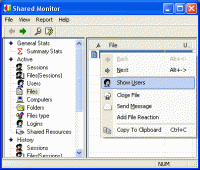
At any time you can click the Shared Monitor tray icon to see the actual information gathered by the program. There are three sections available: Summary, Active and History.
The Summary section shows some statistics. You can see the number of active sessions, open files, etc.
The Active sessions shows your currently shared resources and information about active connections. You can see which computers are connected, the active sessions, logged users and monitor accessed resources.
The History sessions provides historical reports. You can browse logged connections and the statistics of operations by File Type, Hour of Day or Day of Week.
In addition, Shared Monitor can generate HTML reports that you can easily publish for your colleagues or send via e-mail.
The program settings allow you to configure Shared Monitor to run automatically on Windows start and set notifications on specific events (for example, when a new computer connects to your shared resources). You can configure beeps or pop-ups on different types of events. Whats new in version 1.1: Minor improvements. Requirements: A standard Windows PC" Operating system: WinXP,WinVista,Win7 x32,Win2000,Windows2000,Windows2003,WinServer,Windows Vista Ultimate,Windows Vista Ultimate x64,WinNT 4.x,Windows Vista Starter,Windows Vista Home Basic,Windows Vista Home Premium, Limitations: Nag screen Release notes: New Release
This program displays various statistics about your Dial-up, GPRS, ADSL, LAN and so forth (TCP/IP) connections to the Internet. It can process almost all variety of tariff schemes, which are used by ISPs of different countries.
Price: $18.75, Rating: 8, Downloads: 167 Download
The Managed Switch Port Mapping tool is a program that communicates with a managed ethernet switch via SNMPv1/v2c and maps the physical port connections to MAC and IP addresses of the attached devices.
Price: $199, Rating: 0, Downloads: 153 Download
Monitoring activities that are going on your employees? computer is now very easy with Network PC Monitor.
Price: $29, Rating: 8, Downloads: 144 Download
User Rating
Rating:2.2 out of
5 Based on13 ratings.
13 user reviews.

 Shared Monitor 1.1 details